Pauta: Writing down the rules for my desktop apps.
Over the past few months I’ve built some desktop apps that I needed, nay wanted, is more accurate to be honest.
I wanted to build Multi-platform, Keyboard-first, Command Palette centered apps that fill my own needs. I’m a Java developer so I chose JDK/JavaFX as my App platform. (Bold choice, I know!).
I started with Editora, a programmer’s text editor, and I used it as a starting point for the others.
There’s Termina, a terminal emulator, Torrenta, a BitTorrent client. Modula is a software-defined radio receiver, Mirada is an image viewer, and Nux is a UPS monitor that lives in the tray.
They all use JavaFX, they all have Spanish-ish? names, and they’re all the way I want them (Yeay Open Source!).





By the time I got to the fourth app, I’d built the Settings window four times. It was supposed to work the same way in each app, but I’d made it a little different every time, it just kind of happened.
The differences
Termina has its theme CSS vendored into the repository instead of just
using AtlantaFX. I’d have to look up the commit to tell you why.
Modula ships IBM Plex Mono for its UI while the others bundle Inter.
Torrenta has a CLAUDE.md but no AGENTS.md, so its coding agent
instructions live in a file named for one vendor. I never enabled
NullAway in Nux.
Termina also has a Debug Log but no Message Log. An error flashes in the status bar, and once it disappears there’s nowhere to read it again. Not what I want, but while building it, it wasn’t a top priority to be honest.
Most of these are quick fixes once I notice them. I’d settled on a way of doing things in Editora, and every time I started another app I’d copy over whatever I remembered. Sometimes I’d forget a detail or do it differently without realizing. So I started to wrote down what I wanted the apps to share.
Pauta
I called the guide Pauta (full name Pauta: adl’s Desktop apps guidelines, yes is a name-full). In Spanish, pauta can mean a guideline or the ruled lines on writing paper. (The icon is three ruled lines and a tick)

The guide starts with a list of principles. Ten are about using the apps. I want to be able to do everything from the keyboard, see settings take effect as soon as I change them, and find out when something fails. I don’t want the app phoning home.
I mean, I made them, so any phoning home would be to me, but the point stands, I hate apps that phone home.
One I’m unreasonably attached to is never claim what is not true. If something looks like a link, it should work. The About window should wait for the update check before it says “up to date”. If a setting needs a restart, say so in the same row.
I break the other three more often. Keep one source of truth for each fact and add a test that fails if two copies get out of sync. Pull decisions out of the UI into small, pure methods so I can test them without opening a window.
And when I change the UI, run the app and press the actual keys. I’ve stared at JavaFX event handlers and convinced myself they’d run in a certain order, then pressed the keys and found out I was wrong.
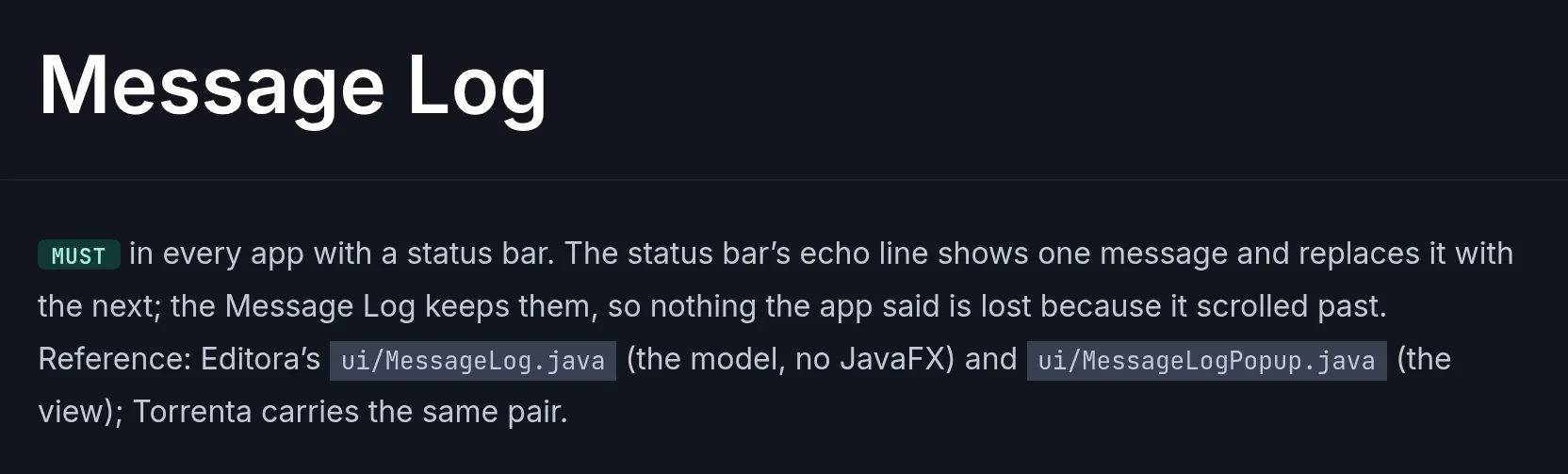
In Pauta, The rules are marked MUST, SHOULD or MAY, and each one points to the code
in Editora I can copy/review. When I need to add a Message Log, I can go straight
to ui/MessageLog.java and ui/MessageLogPopup.java.
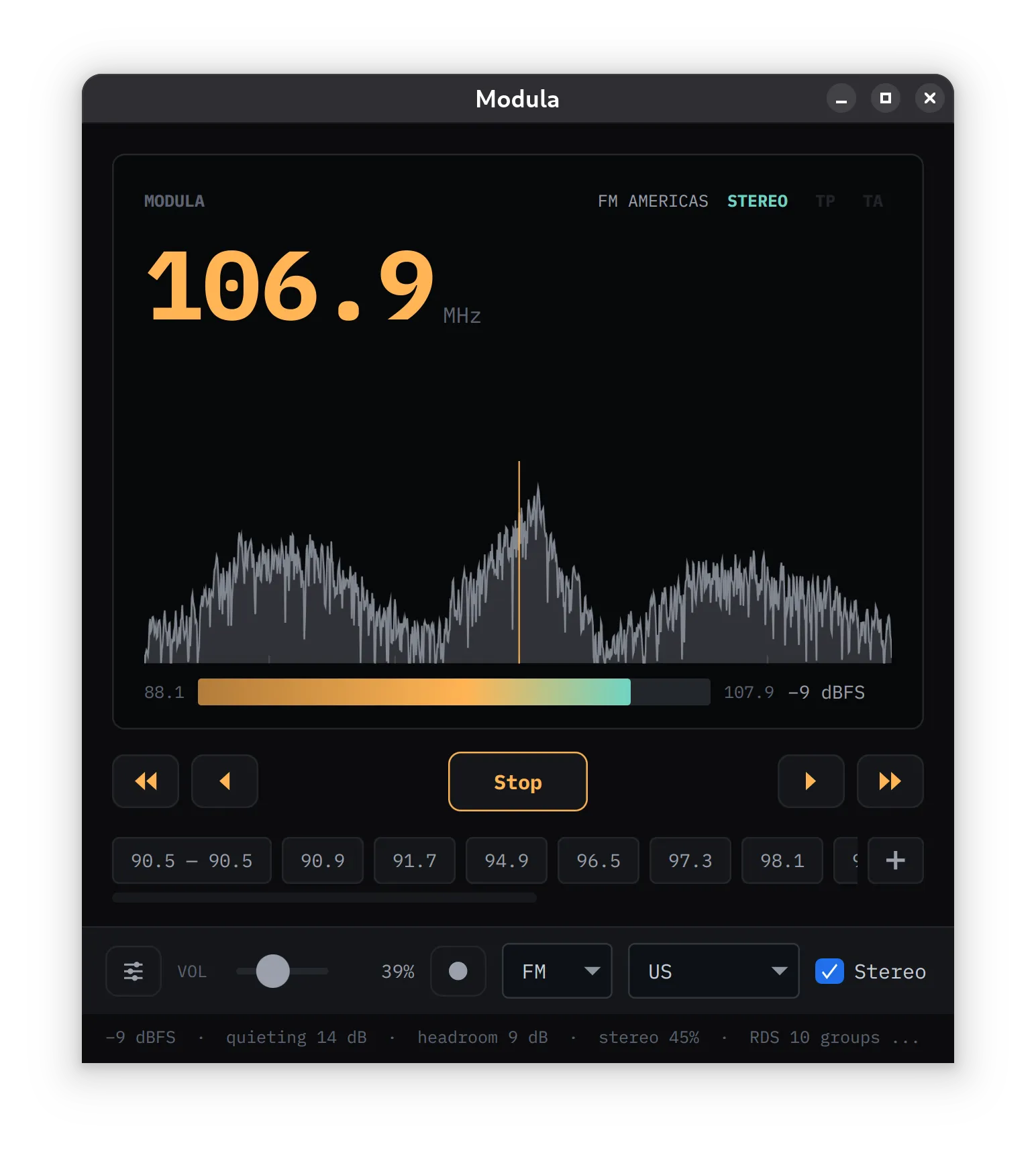
Funny story: there’s a rule on the Settings page that came out of building Modula. I left out gain, bandwidth and squelch controls on purpose. When I was deciding what to put in the UI, I’d ask myself whether I’d expect to find it on a car radio. A preset button would make sense. I’d be surprised to find a spinner for decimation stages. If there’s one right value for a setting, I pick it and leave the control out.
The feature matrix
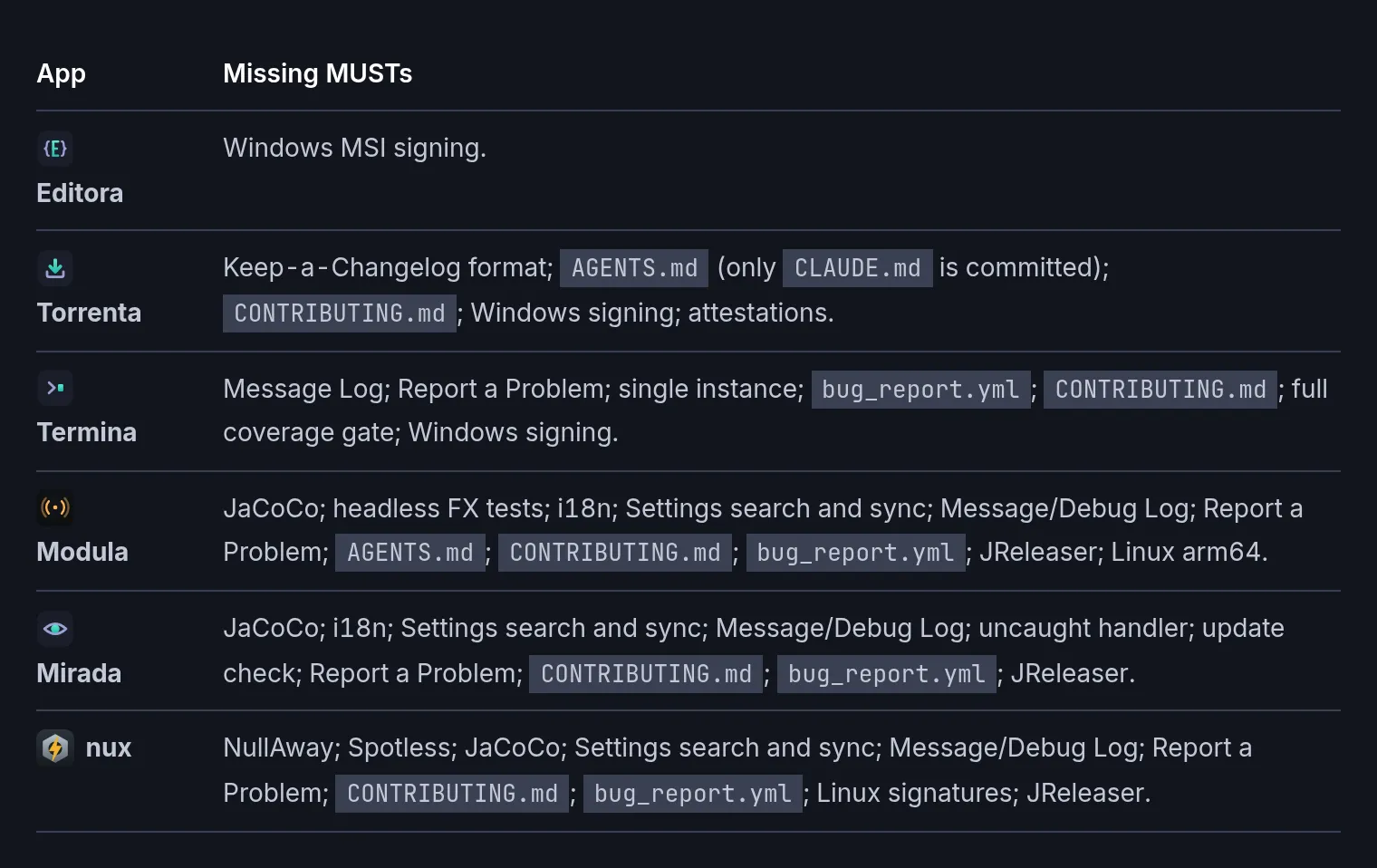
The feature matrix is the page I look at most. It has six columns, one per app, and a row for every rule. A full dot means the app implements the rule, a half dot means it implements part of it, and an empty dot means it’s missing. There’s also a page listing every MUST each app fails.
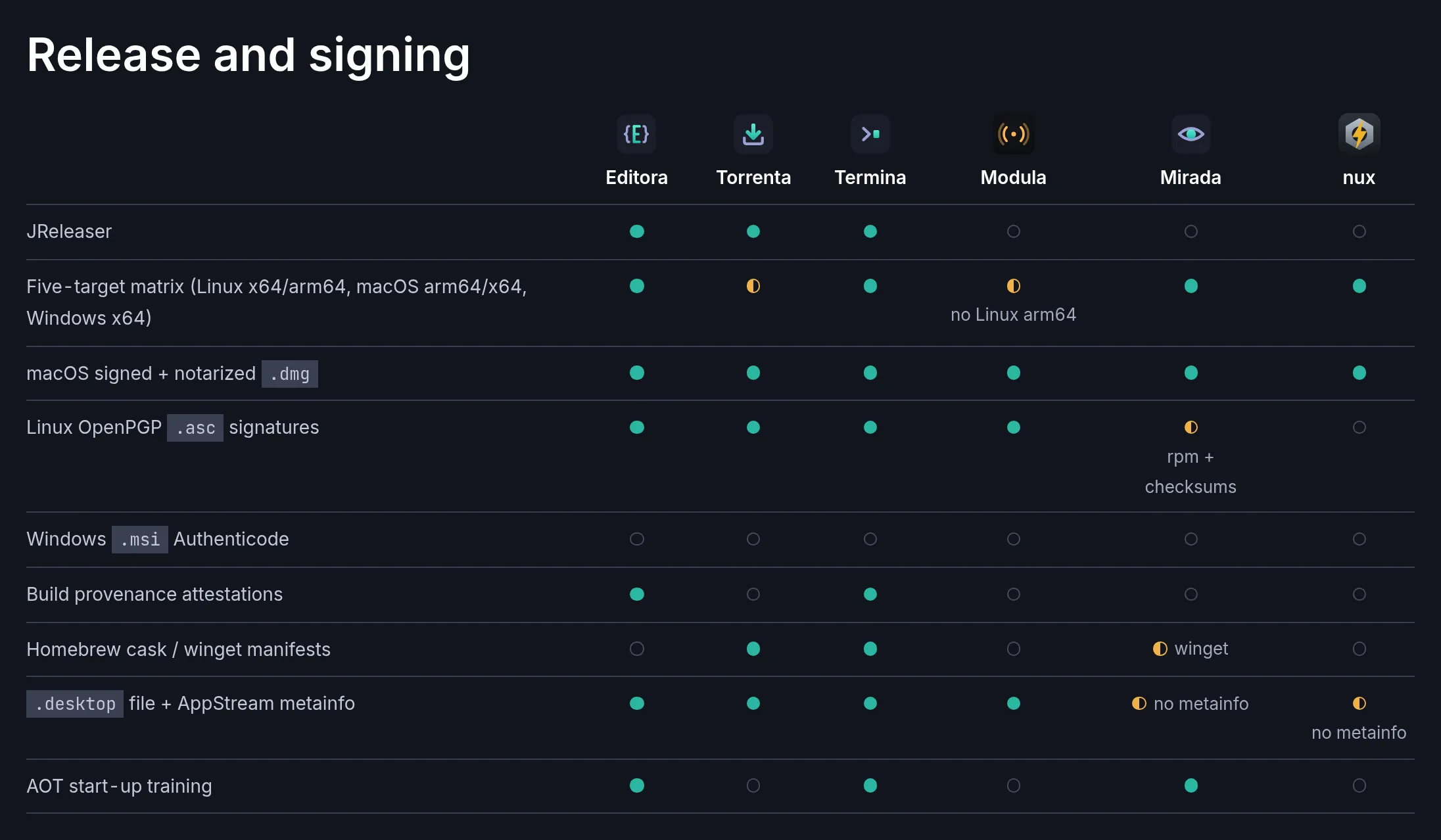
Editora is the reference implementation and it still fails one rule. None of the six apps has a signed Windows installer. I’ve been meaning to set up Authenticode for a while. That row has six empty dots in it. I’ll get to this one soon, promise!
Modula is missing a coverage gate, translations, settings search, a Message Log and a way to report a problem from inside the app. I knew about each of those, but I’d never put them all in one place. Now I can use the gaps page as my backlog.
Why Pauta is public
I wrote Pauta for my own projects and put it on a public site under an MIT license. The principles apply to desktop apps on other stacks too.
I wanted something I could hand to the coding agents I use. Editora’s README says it was built with help from AI coding tools, and Pauta makes that disclosure a MUST for the other apps. An agent working on Termina has no reason to know how I built the Settings window in Editora. On every push, Pauta builds a single Markdown file and a PDF. I can drop the Markdown file into a session so the agent has the rules and the examples at hand.
The platform pages cover the setup I’d give a friend starting a JavaFX project. That’s JDK 25, JavaFX 27, AtlantaFX, NullAway, and jpackage and JReleaser for signed installers on every OS. There’s a companion GitHub template too.
Click “Use this template” and run the rename script, and you have a small runnable app with tests, CI, release workflows and all the repository documents. I’ve done that by hand six times, a little differently each time.
Two days in
Pauta is two days old and already at 1.1. The first version had fewer principles. I added the rest after going back through the apps and noticing things they already agreed on. The performance page says to keep I/O off the JavaFX Application Thread, which is how every Editora service already worked. I hadn’t thought of it as a rule until I wrote it down.
I also added a versioning rule. A new MUST that existing apps fail means a major version bump. I expect Pauta to hit 2.0 before I sign any of those Windows installers.
If you’re building desktop apps, the guide is here. Copy whatever fits. I’d start with the matrix. It took seeing all six apps side by side for me to realize how much I’d been keeping in my head.